
For your space
See what your room, kitchen, or yard could look like.
Redesign a room, plan a kitchen, or mock up a garden — all from a photo on your phone.
- Apps
- 3
- Categories
- 2
The short version
Most home projects start with a feeling — the living room is off, the kitchen needs work, the yard is a mess. These apps turn a quick phone photo into something useful: ideas, a plan, a direction.
Which one for what
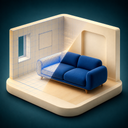
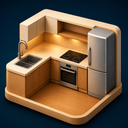
Intero is for redesigning a room. Mise is for the kitchen. Arden is for the garden and backyard.
How to use it well
Snap a clear photo of the space. Try a few directions. Show the results to your contractor, your roommate, or whoever else has a vote. Use them as a starting point, not the final answer.
A quick rule of thumb
- Intero for living rooms, bedrooms, anything indoors.
- Mise when you are specifically rethinking the kitchen.
- Arden for outdoor projects — garden, backyard, landscaping.
The picks
Apps for this

Keep going
Other picks you might like
For your look
Beauty and style try-ons
Preview hair changes, makeup looks, tattoo ideas, and glow-up progress on your own photo.
ViewFor your photos
Better photos of you
Turn a regular selfie into a professional headshot, a hairstyle preview, or a glimpse of a future baby.
ViewFor getting things done
Brand and photo tools
Practical apps for building a brand identity and a photo that matches it.
ViewQuestions
A few quick answers
Can I redesign a room from a photo?
Yes — Intero is built for exactly that. Take a photo of the room, pick a style, and see options before you move a single piece of furniture.
Is there an app for kitchen design?
Mise. It is the kitchen-specific one — layout, finishes, the works. Better than a general room app when the kitchen is what you are actually planning.
What about gardens and backyards?
Arden handles the outdoors — garden layouts, landscaping ideas, and backyard makeovers from a photo of your space.